WhatsApp Profile Link UX Writing
Role
Content Designer
Team
1 content designer (me), 1 product designer, 2 engineers, 1 product manager, 1 go-to-market specialist
Timeframe
6 months
Company
Meta (WhatsApp, Instagram, Facebook)

Overview
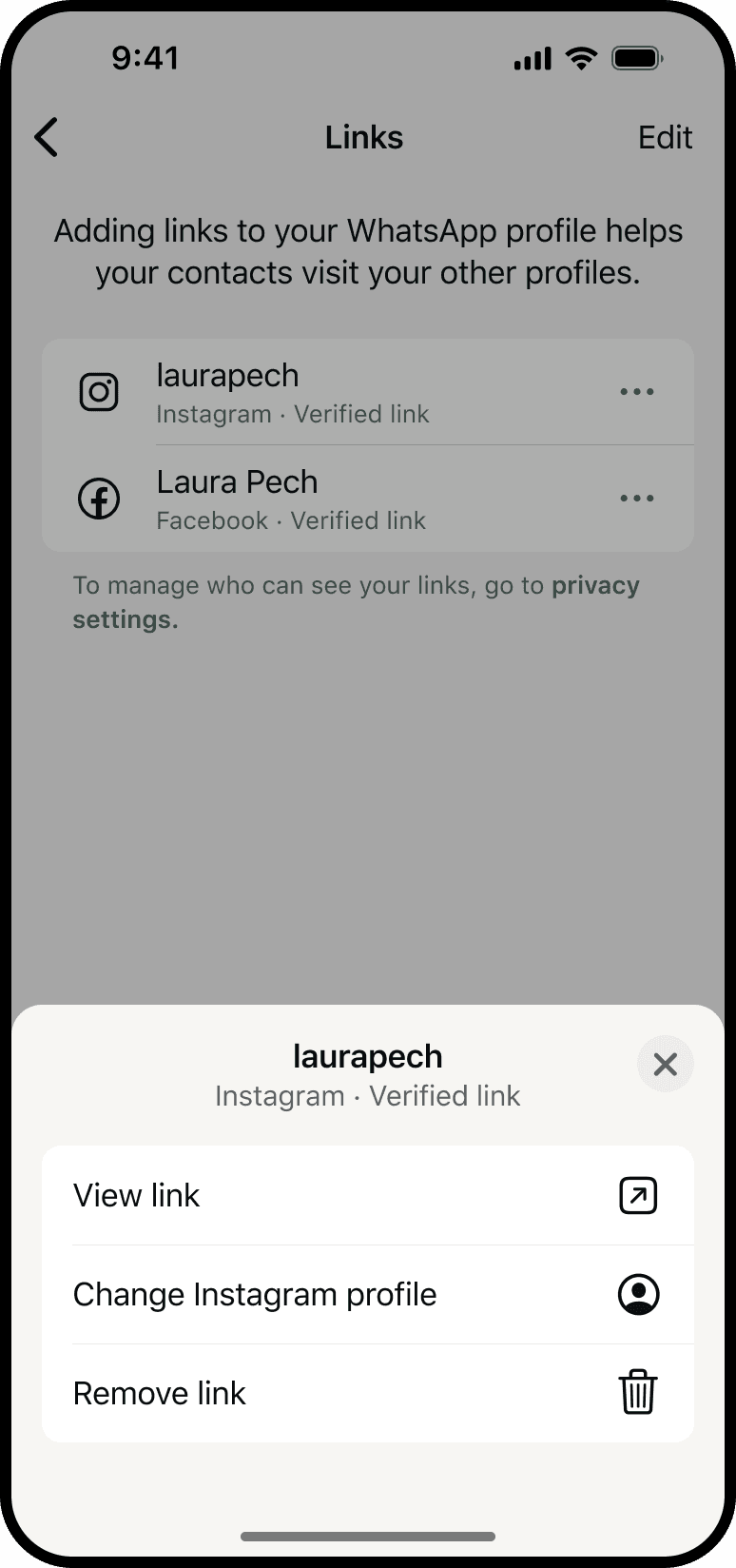
I wrote all content on every screen of the profile-link experience across WhatsApp, Instagram, Facebook, and Accounts Center, and contributed to the design and layout. I defined terminology, contextual prompts, and privacy explanations to help people understand verification, control visibility, and choose their next action.
The content problem
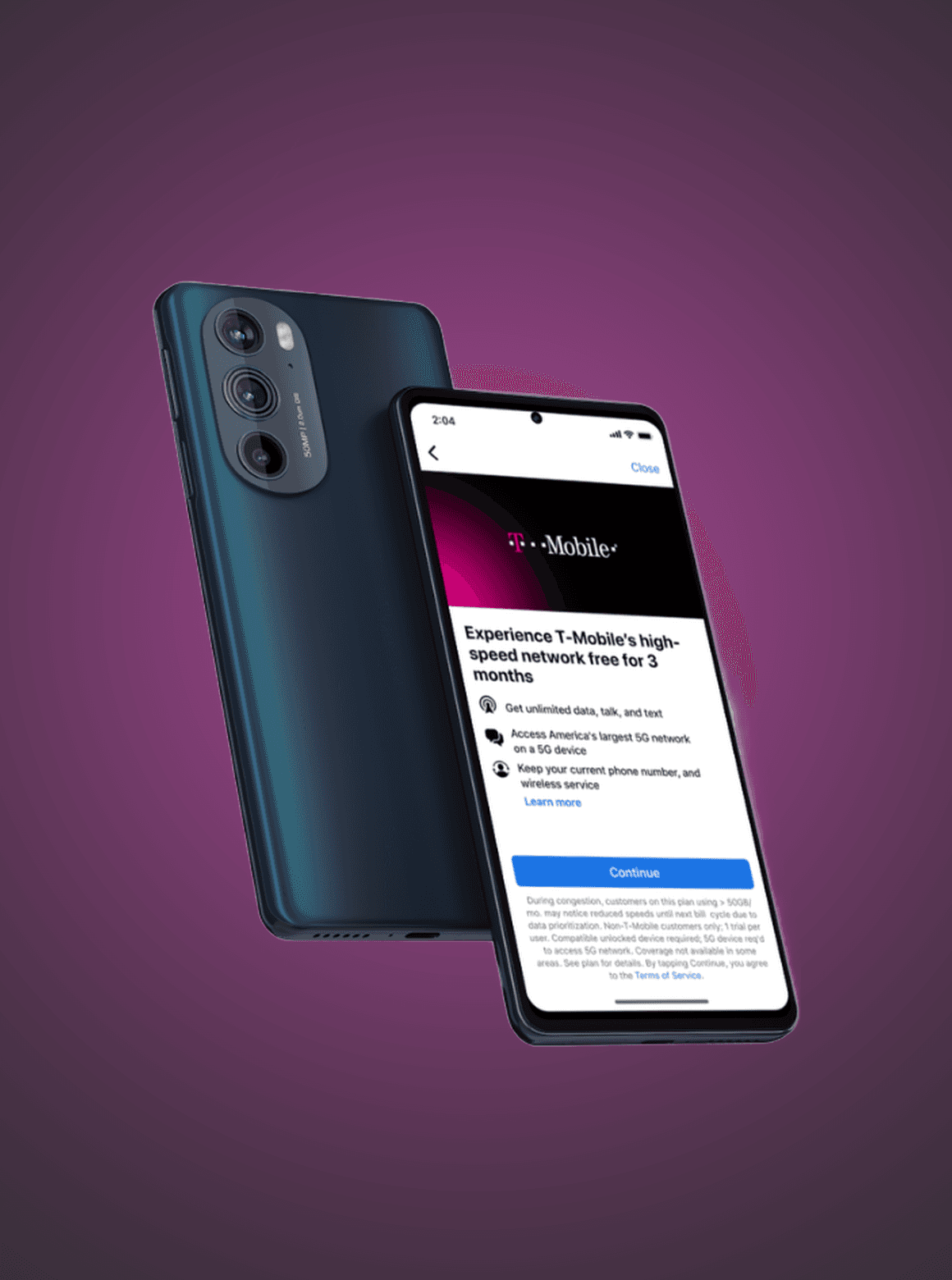
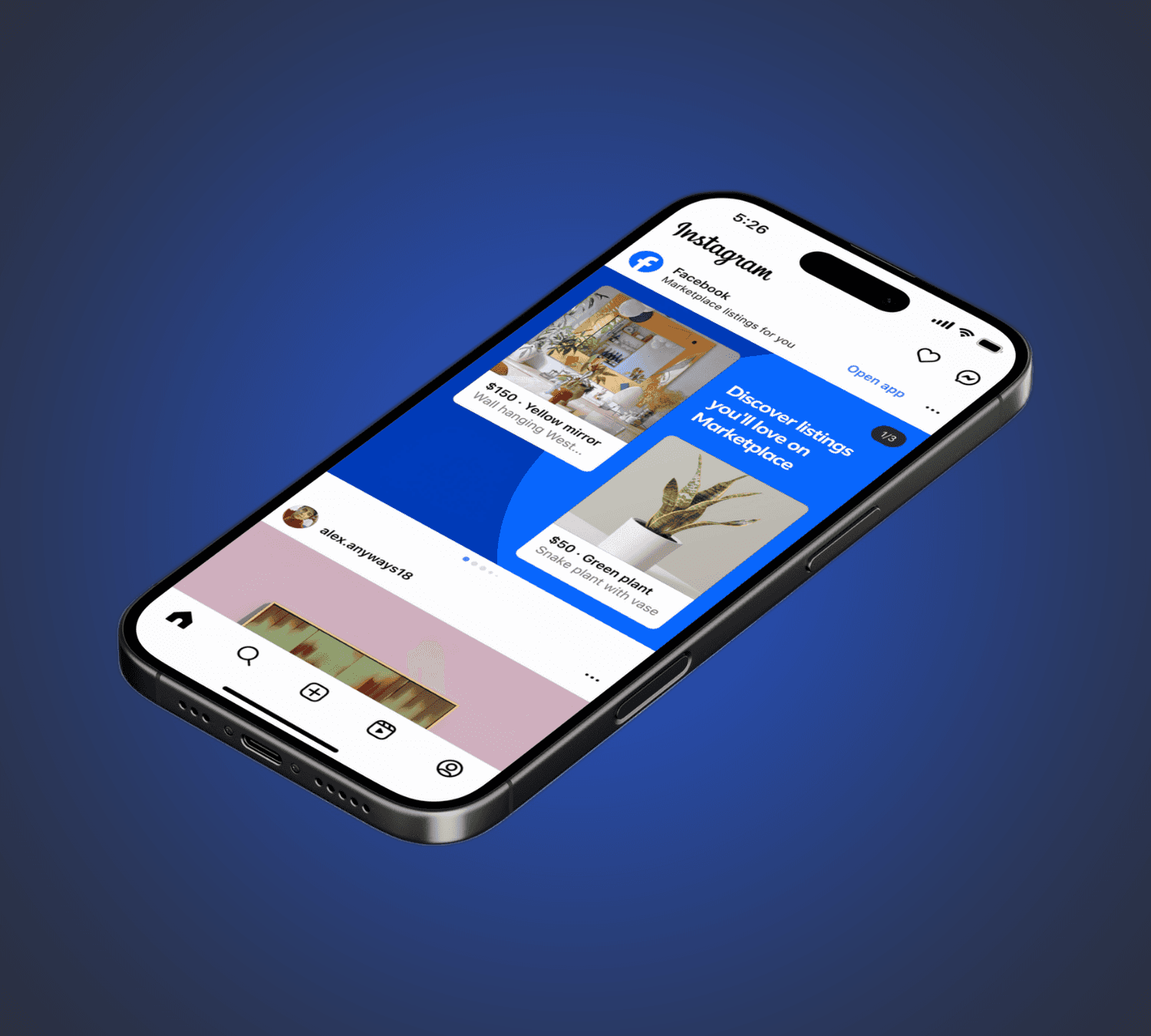
The same linking feature had different names across Meta apps. WhatsApp used “verified link,” Instagram used “banner,” and Facebook used “confirmed link.” I worked with partner teams on shared rules that preserved each app’s language while keeping the underlying action understandable.
What people needed to understand
People needed to distinguish an account-owner-verified link from a manually entered username. They also needed to know where a link would appear and what information another person could see after tapping it. Clear language mattered at both setup and viewing moments.
UX Writing
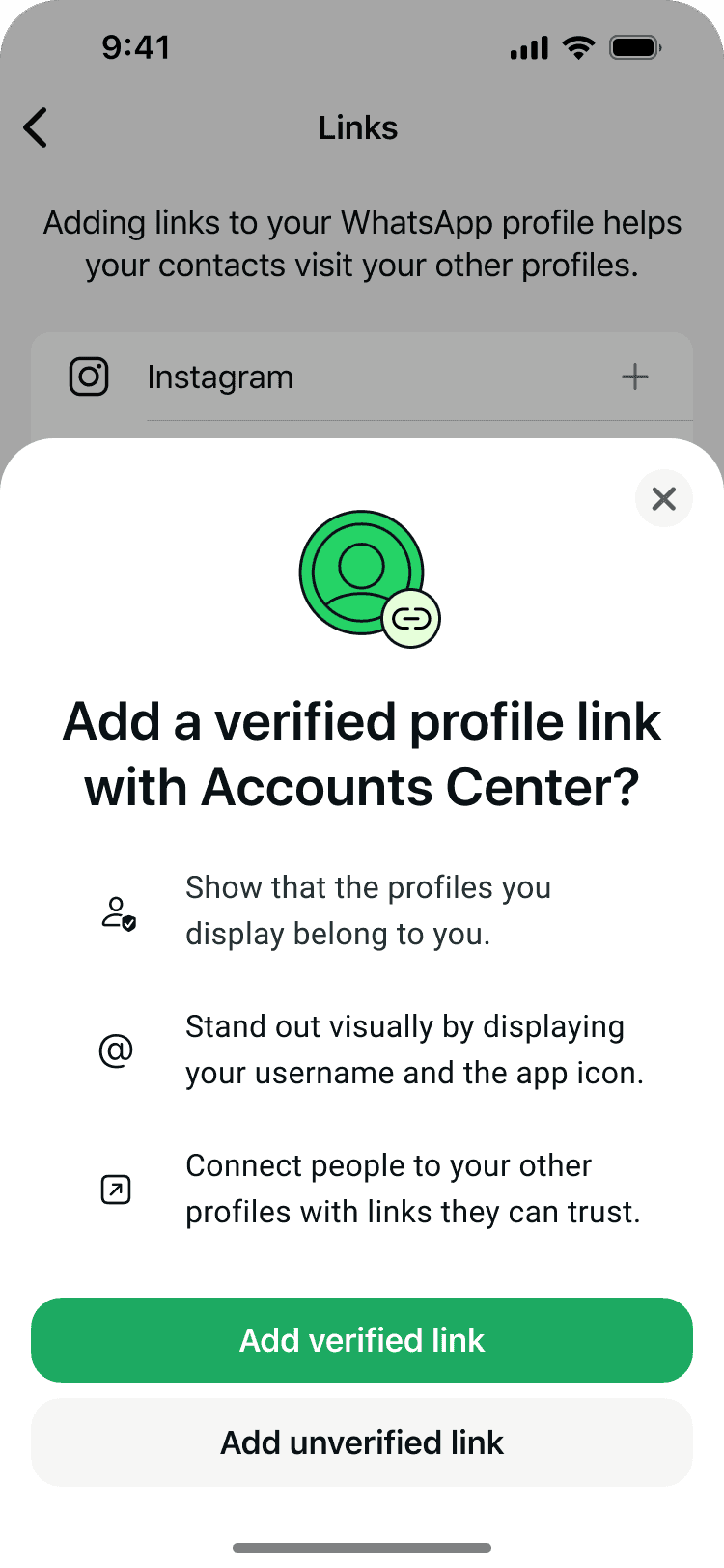
Adding a verified link
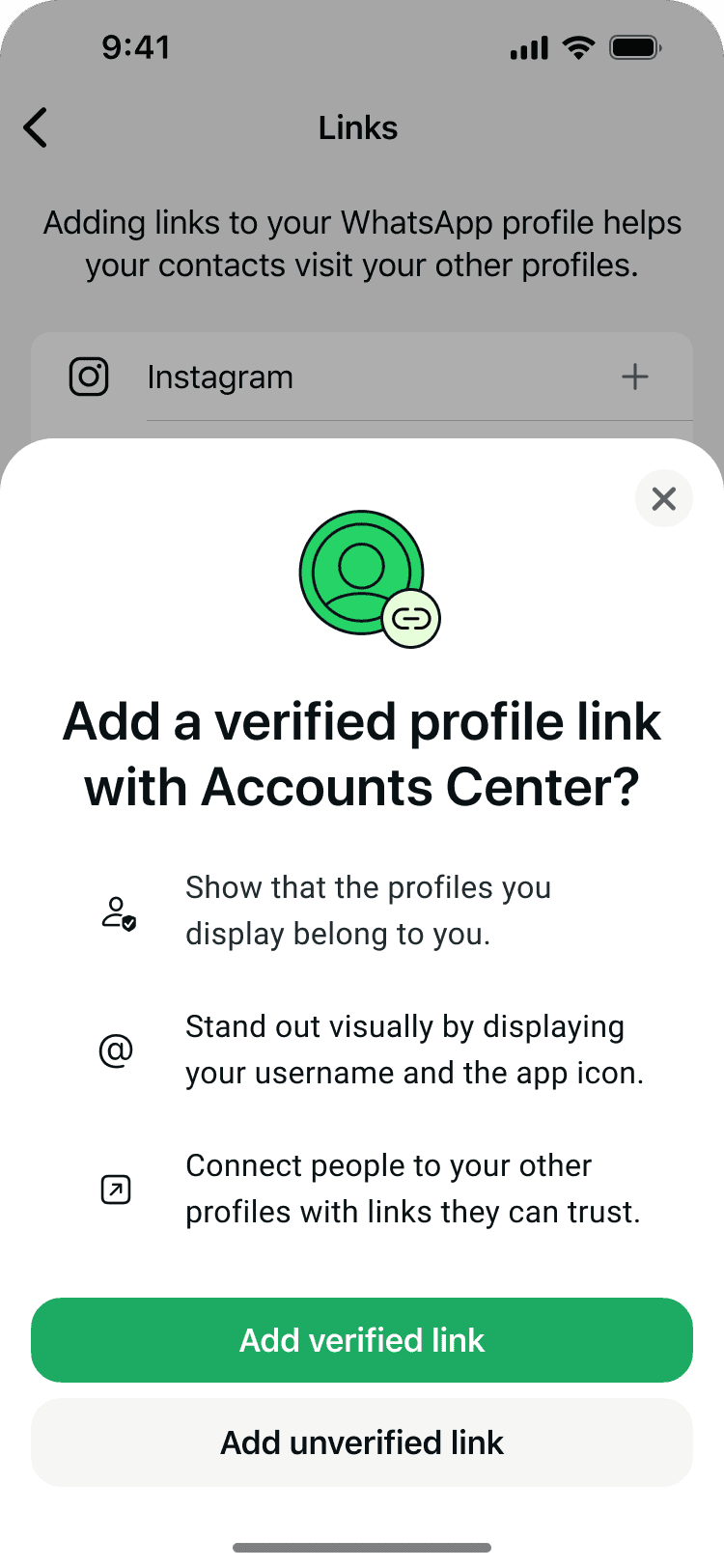
The opening sheet explained why someone might add a verified profile link before asking them to connect accounts. The flow then used “Verified Link” as a status, separating the action people took from the state they reached.



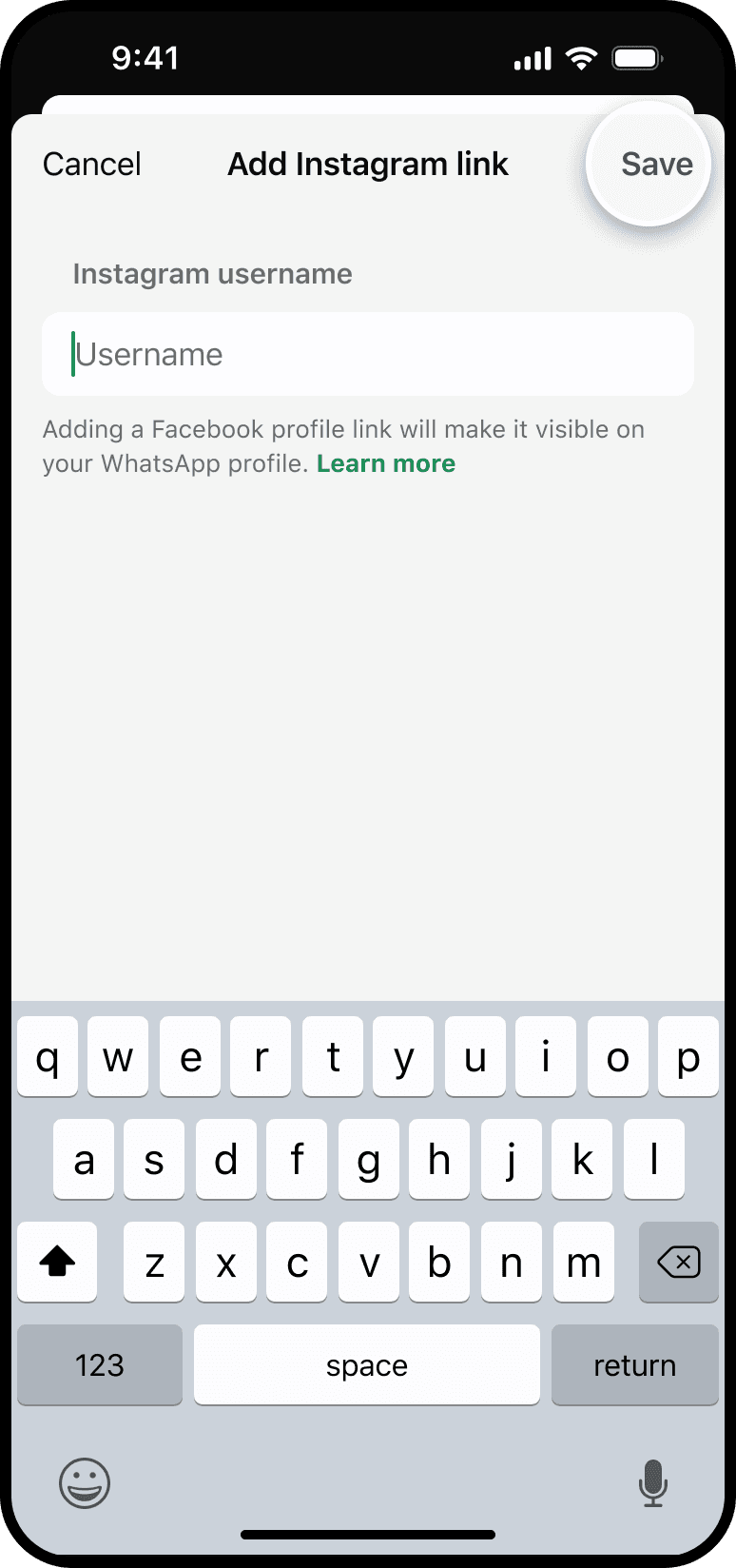
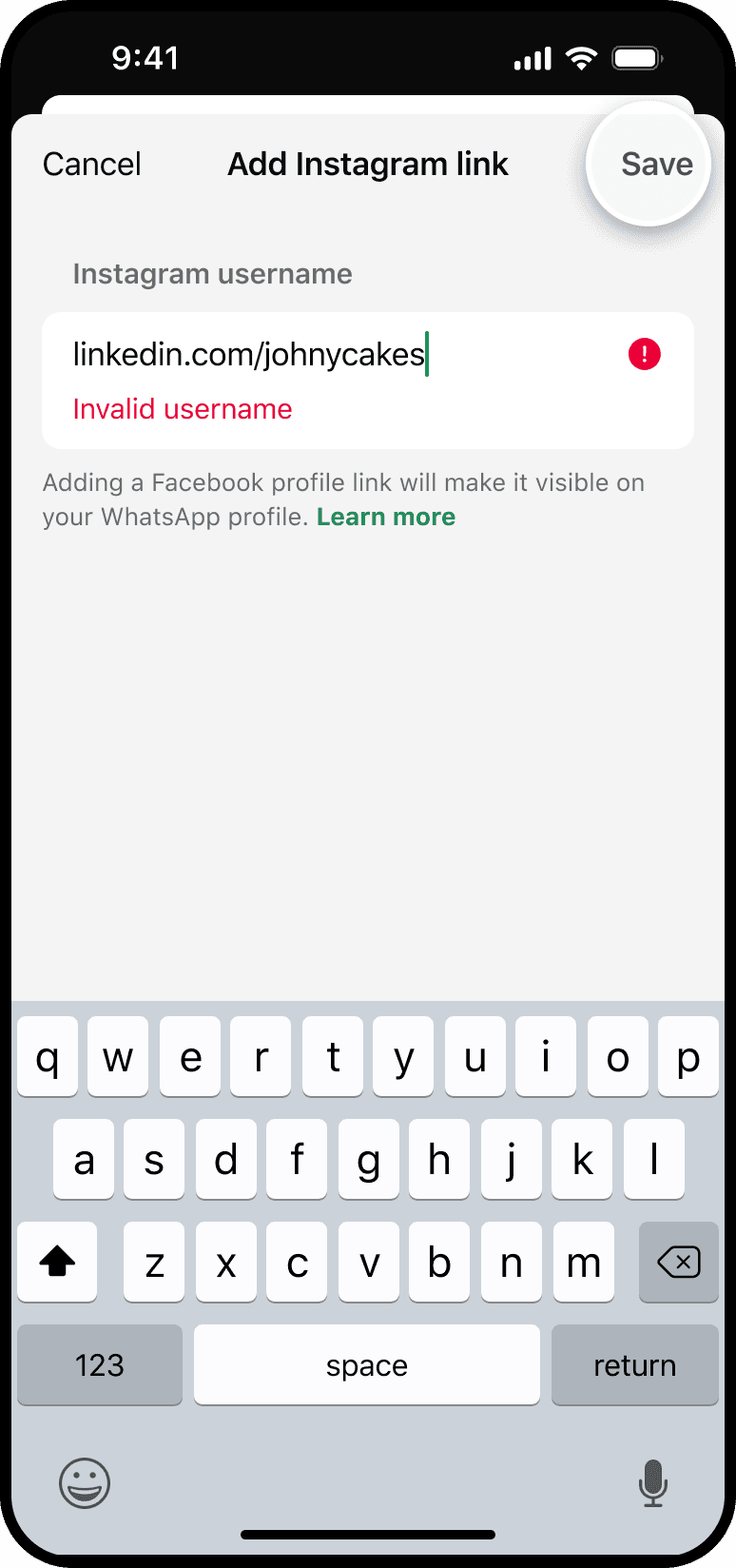
Adding an unverified link
“Add unverified link” named an alternative path: manually enter an Instagram username without confirming account ownership. The distinction was essential because a valid username alone did not establish that the person adding it owned the account.


Verifying a link
The action “Verify Link” described what would change. The confirmation “Yes, verify links” led into account linking, and the completed state read “Verified Link.” This action-to-status pattern kept the language consistent through the journey.


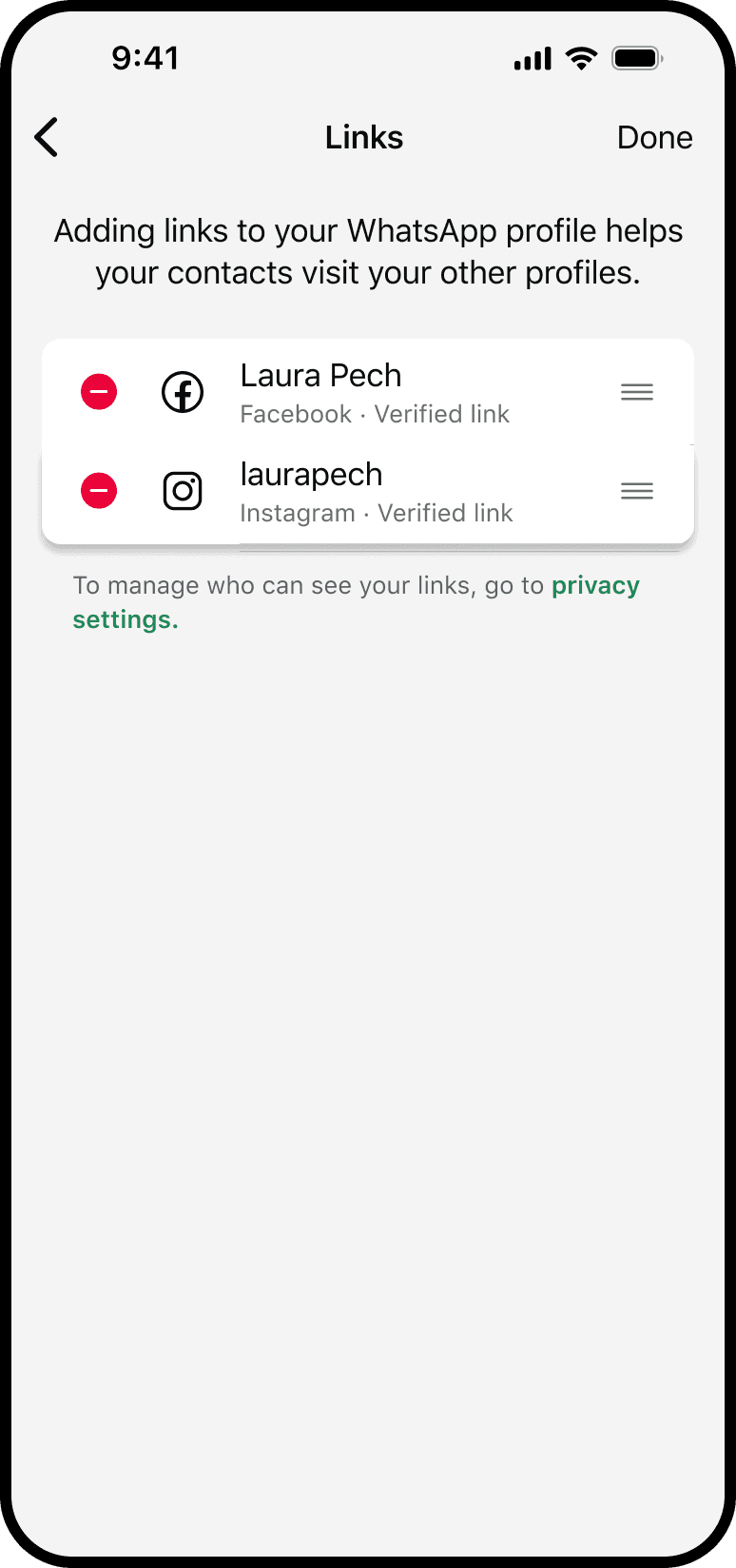
Explain visibility and control
The management experience needed to make visibility understandable: which links appear on a profile, in what order, and which Instagram account is active. A preview let people review that information before relying on the public profile to confirm it.



Match the message to account state
I tailored prompts to the person’s existing setup. People with no linked accounts saw an invitation to add one. Those with Instagram available could choose “Add Instagram.” People with an unverified link saw a prompt to verify it. Each message offered a relevant next step.


Explain verification to viewers
A viewer also needed a plain-language explanation of “verified.” The info entry point beside a link explained the feature and offered a path to link their own accounts. This placed help beside the unfamiliar status rather than expecting people to discover it elsewhere.


Shared Terminology
I created shared content guidelines with partner design teams for reciprocal linking across Meta apps. The framework kept the behavior consistent while adapting the words to each app’s established conventions. It also distinguished adding a link from managing whether it is shown.
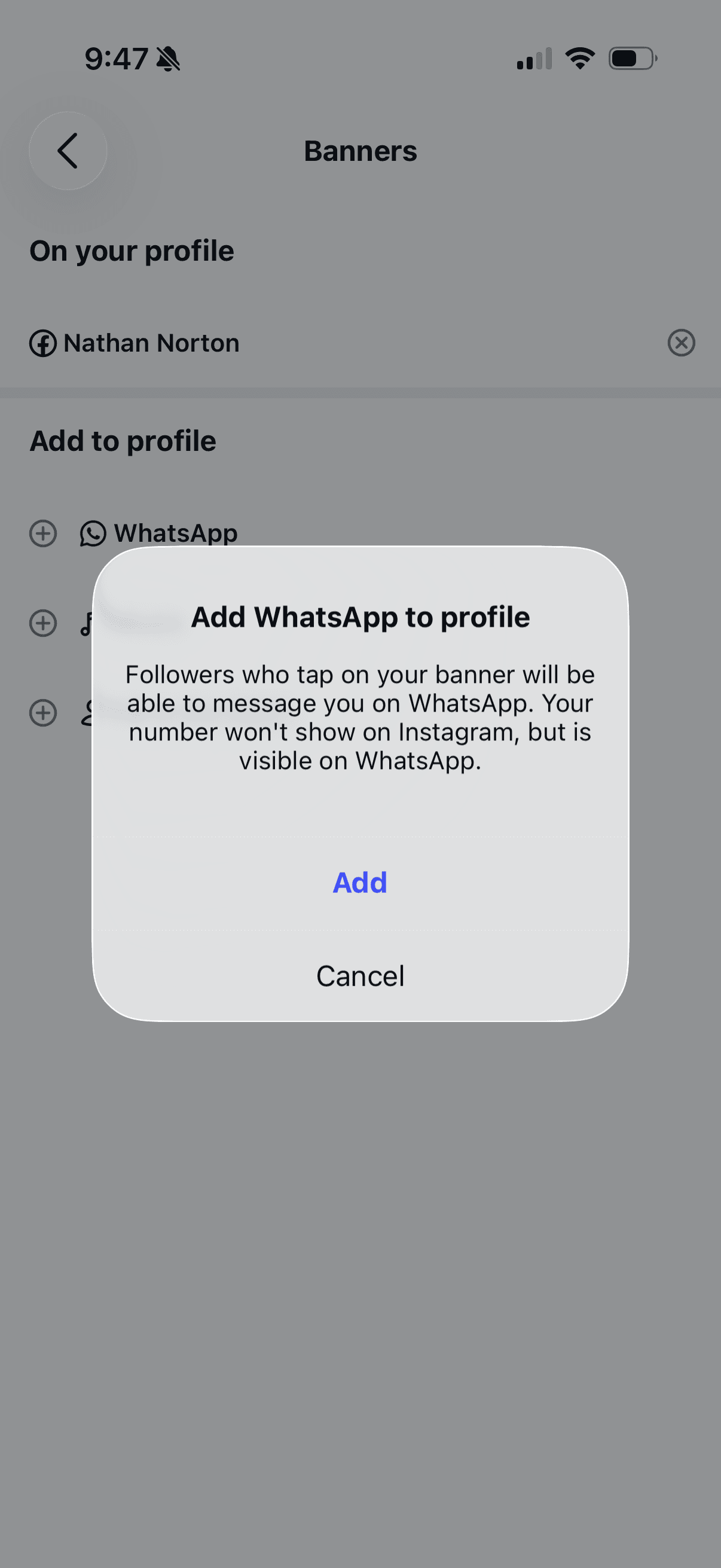
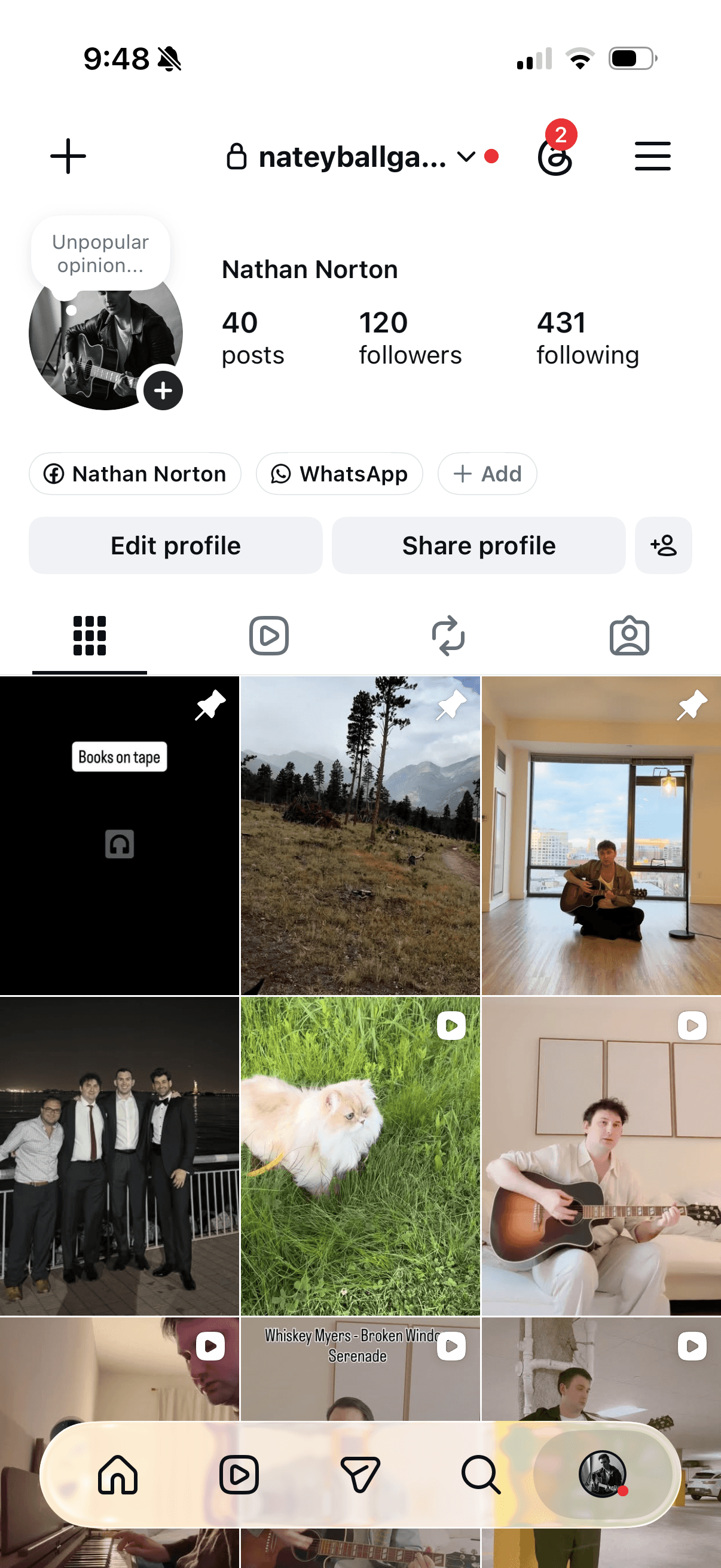
Instagram used “banner,” its established term for the profile surface. The content stayed native to that experience while offering a WhatsApp destination once accounts were connected.



Facebook used “confirmed link,” reflecting its existing identity language. The shared guidance connected that term to the same underlying verified account relationship.




Accounts Center
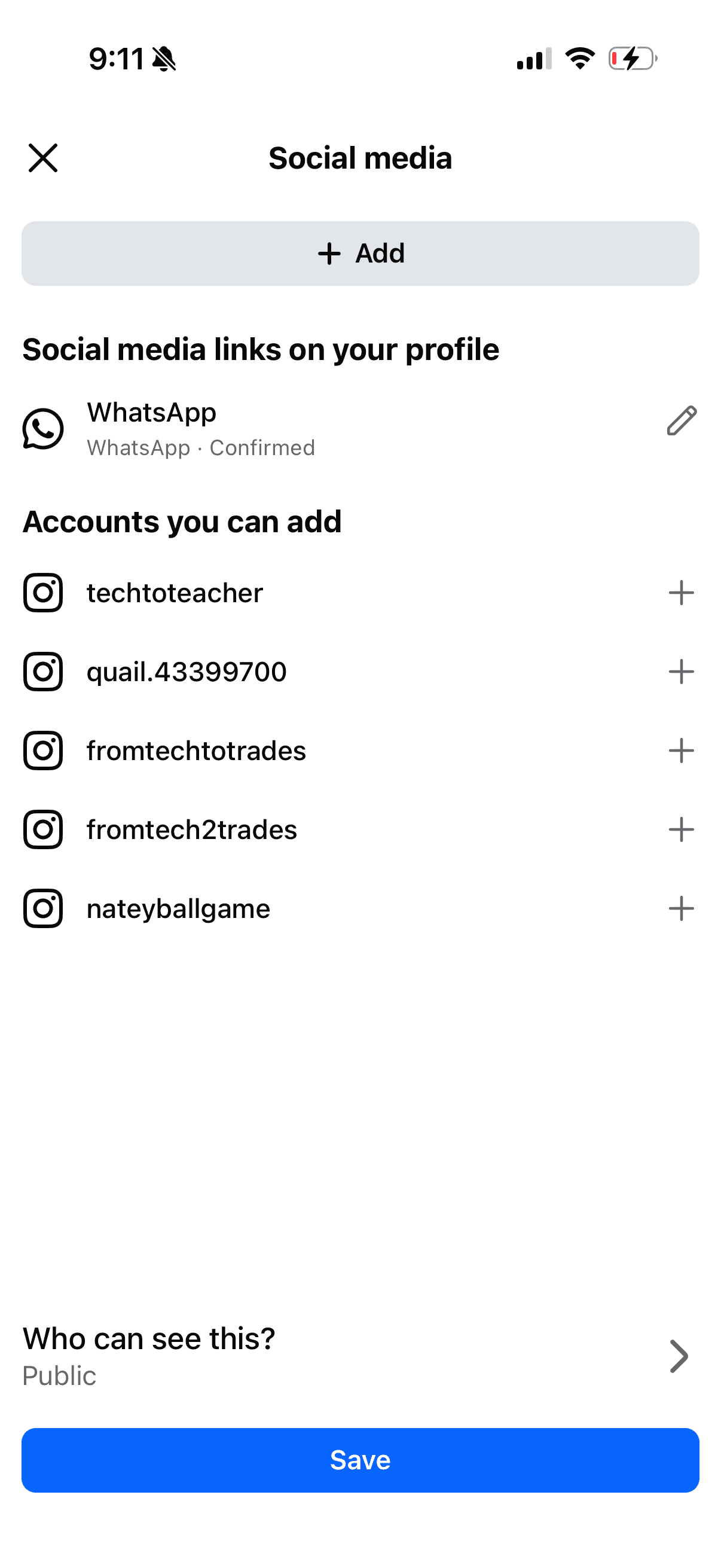
With the Settings team, I defined a key verb distinction: use “add” when first placing a link on a profile and “show” when managing its visibility. That rule gave teams a repeatable way to describe two different user intentions.


Make privacy consequences explicit
I worked within legal requirements to explain phone-number visibility accurately. Linking WhatsApp to other apps needed a clear disclosure about what another person would be able to see.
At launch, the profile banner read “WhatsApp” rather than displaying the phone number. The disclosure still needed to explain that someone who tapped through to WhatsApp could see the number associated with the account. The writing had to cover that consequence before people decided to add the link.
The content guidelines
I wrote a quick-reference guide covering preferred terms, the reasoning behind them, and patterns to avoid across WhatsApp, Instagram, Facebook, and Meta Account Settings. The deliverable gave partner teams a shared reference for future copy decisions.

Prototype
Try out the Verified Profile Links prototype
If you would like to try out the WhatsApp verified profile links prototype tap the link below.
Verified Profile Links Prototype ↗
Results
250K
Instagram Links
200K
Facebook Links
2.53M
WhatsApp Links
1.5M
Additional projected links per platform
Next Steps
To simplify the link ecosystem and ensure account authenticity, we are deprecating all unverified links through a two-tiered migration strategy based on Accounts Center integration. For users whose accounts are already connected within the same Accounts Center, we will automatically convert their unverified links to verified status on a set date and provide a deprecation message explaining the transition. For users with unverified links between accounts not yet in the same Accounts Center, we will deprecate the existing links and surface a targeted upsell flow; this notice will explain the change and prompt the user to add their accounts to the Accounts Center to re-add their links.
Additionally, we plan to introduce WhatsApp usernames alongside the option to display phone numbers. While this has been part of our core roadmap from the beginning, the legal constraints outlined above require further cross-functional alignment before we can officially move forward with implementation.